
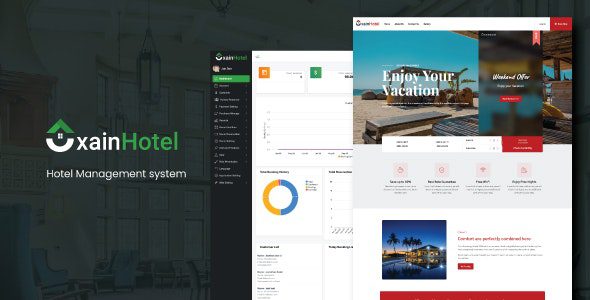
Xain Hotel Management System Free Download
Xain is a complete Hotel Management System designed to automate daily hotel operations, streamline staff workflows, and provide a better customer experience. From bookings to accounting and HR management, this PHP-based solution offers an all-in-one platform for hotels, resorts, and guesthouses. With a responsive interface, role-based access, and advanced reporting, Xain ensures that both small and large hospitality businesses can manage their operations effectively and professionally.
Key Features of Xain Hotel Management System
- Responsive Design – Works seamlessly on all devices with different screen sizes.
- Comprehensive Dashboard – Track today’s bookings, total customers, revenue, and reports at a glance.
- Admin Panel with Role Permissions – Create multiple admin accounts with custom roles and access control.
- User Management – View, monitor, and control all staff and customer activities.
- SMS Notifications – Send bulk or individual SMS alerts to guests and staff.
- Room & Facility Management – Define and manage room facilities, pricing, and availability.
- Purchase & Stock Reports – Track all inventory, purchases, and supplies efficiently.
- Human Resource Management – Manage staff roles, payroll, and attendance with the built-in HRM module.
- Accounts Module – Complete financial management with income, expenses, and balance tracking.
Pros & Cons
| Pros | Cons |
|---|---|
| All-in-one system covering bookings, HR, accounting, and reporting | Initial setup may require technical expertise |
| Role-based access for staff and admins | SMS integration may need additional costs depending on provider |
| Responsive and mobile-friendly | Advanced customization might need developer support |
Installation Guide
- Download the Xain Hotel Management System package.
- Upload the files to your hosting server using cPanel or FTP.
- Create a new MySQL database and import the provided SQL file.
- Configure the database connection inside the
config.phpfile. - Run the installation script to set up initial settings.
- Log in with the default admin credentials and update your hotel details, rooms, and user roles.
FAQs
Q1: Can Xain handle multiple hotels?
A: Yes, depending on setup, you can manage multiple branches or hotels within one system.
Q2: Does it support online bookings?
A: Yes, it comes with an integrated website for guests to check availability and make bookings.
Q3: Can staff roles be customized?
A: Absolutely, admins can assign role-based permissions for operators, managers, and other staff.
Q4: Does it include financial management?
A: Yes, it has a built-in accounting module to track income, expenses, and financial reports.
Q5: Is it suitable for small hotels?
A: Yes, it is scalable and works well for both small guesthouses and large hotels.


