
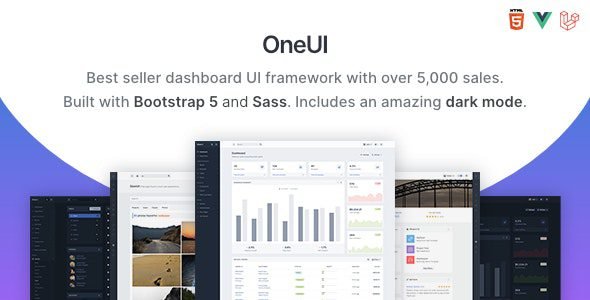
OneUI 5.9 – Bootstrap 5 Admin Dashboard Template with Vue & Laravel 11 Starter Kit
Introduction
OneUI 5.9 is a premium Bootstrap 5 admin dashboard template and UI framework that comes with a powerful Laravel 11 starter kit and full Vue.js integration. Built with performance, flexibility, and scalability in mind, OneUI allows developers to create modern dashboards, admin panels, SaaS apps, or enterprise solutions quickly and efficiently. With features like dark mode, RTL support, Sass-based modular CSS, and ready-to-use pages, OneUI is one of the most versatile admin templates available today.
Key Features
- One Powerful Layout: Flexible, lightweight, and designed to fit all types of applications.
- Bootstrap 5 Framework: Built on the latest version with modern utilities and components.
- No jQuery Required: Pure JS ensures seamless integration with modern frameworks like Vue.
- Dark Mode: Beautiful custom dark mode across all layouts and pages.
- Super-Fast UI: GPU-powered sidebar animations and smart CSS for lightning performance.
- Built with Sass: Fully modular approach for clean and scalable styling.
- Laravel 11 Starter Kit: Preconfigured kit with pages, assets, and Vite integration.
- Vue Edition: Fully compatible with Vue.js for dynamic, reactive apps.
- RTL Support: Start projects in right-to-left languages without extra effort.
- Custom JS APIs: Full control over blocks and layout behavior.
- Ready Pages: Dozens of pre-built examples for dashboards, auth, and more.
- Font Awesome 6: Integrated with 2000+ premium icons.
- Third-Party Components: Hand-picked libraries to boost workflow without bloat.
Pros & Cons
| Pros | Cons |
|---|---|
| Modern design with dark mode and RTL support. | Initial learning curve for new developers. |
| Integrated Laravel 11 starter kit saves setup time. | Requires knowledge of Laravel/Vue for full use. |
| No jQuery dependency, future-proof coding. | Premium updates may require purchase. |
| Comes with ready-made dashboards and pages. | Hosting/server setup needed for Laravel kit. |
Installation Guide
- Download the OneUI 5.9 package.
- Upload the files to your hosting server or local environment.
- For HTML version: open
index.htmlin your browser and start customizing. - For Laravel Starter Kit:
- Extract files into your Laravel project folder.
- Run
composer installto install dependencies. - Set up your
.envfile with database and app details. - Run
php artisan migrateto create required tables. - Use
npm install && npm run devto compile assets with Vite.
- Log in to the dashboard and begin customizing your project.
Comparison: OneUI vs Other Admin Templates
| Feature | OneUI 5.9 | Generic Templates |
|---|---|---|
| Laravel Starter Kit | ✔ Included (Laravel 11) | ✘ Not available |
| Vue.js Compatibility | ✔ Full Vue edition | ✘ Limited |
| Dark Mode & RTL | ✔ Native support | ✘ Often missing |
| Performance | ✔ Super-fast, no jQuery | ✘ Slower, jQuery-based |
| Pre-Built Pages | ✔ Extensive ready pages | ✘ Limited set |
Download OneUI 5.9 – Bootstrap 5 Admin Dashboard Template
OneUI is perfect for developers who want a reliable, feature-rich, and future-proof admin template with Laravel and Vue support. Whether you’re building SaaS apps, dashboards, or enterprise solutions, OneUI gives you all the tools to get started quickly.


