
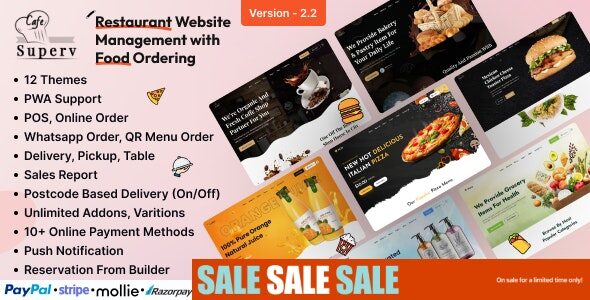
Superv – Restaurant Website Management & Food Ordering System
Superv is a powerful restaurant website CMS and management system designed to simplify food ordering and restaurant operations. It comes with a variety of features that make it suitable for fast food shops, coffee shops, bakeries, pastry shops, and any other food-related business. With its modular structure, you can enable or disable features as needed, ensuring a tailored solution for your restaurant.
Key Features of Superv PHP Script
- Comprehensive admin dashboard with role-based employee management.
- Zone-wise delivery management for efficient operations.
- Item add-ons and toppings customization.
- Product size variation support.
- Restaurant open/close time scheduling.
- Promotional banners and marketing tools.
- Built-in testimonial and blog system.
- Table booking functionality for dine-in customers.
- Integrated FAQs section for customer support.
- Detailed date-wise reporting system.
- Easy storefront management with products & categories.
- Flexible tax creation and assignment options.
- Order summaries with printable receipts.
- Seamless shopping experience for end-users.
- White-label single vendor restaurant solution.
- Multiple payment gateways for secure transactions.
Pros & Cons
| Pros | Cons |
|---|---|
| Complete restaurant CMS with food ordering | Requires setup and configuration |
| Supports dine-in, takeaway, and delivery | Single restaurant system, not multi-vendor |
| Secure payment gateways integrated | Customization may need technical knowledge |
Installation Guide
- Download the Superv Script package.
- Upload it to your web server via FTP or file manager.
- Create a new MySQL database and user for the script.
- Run the installation wizard and configure database details.
- Set up admin credentials and restaurant details.
- Enable required modules like delivery, bookings, and payment gateways.
Comparison with Alternatives
| Feature | Superv | FoodTiger | RestroApp |
|---|---|---|---|
| Restaurant Type | Single Vendor | Multi Vendor | Single Vendor |
| Table Booking | Yes | No | Yes |
| Delivery Zones | Yes | Yes | Limited |
| Payment Gateways | Multiple | Multiple | Basic |
Frequently Asked Questions (FAQs)
Q1: Can Superv handle both dine-in and online orders?
A: Yes, it supports dine-in table booking, online ordering, and delivery.
Q2: Is Superv a multi-restaurant system?
A: No, it is a single vendor solution, best for individual restaurants.
Q3: Does it include a payment gateway?
A: Yes, it integrates with multiple gateways for secure payments.
Q4: Can I white-label the system?
A: Yes, Superv offers a full white-label solution for branding purposes.
Q5: Do I need coding knowledge to use Superv?
A: Basic setup can be done without coding, but advanced customization may require developer support.


